Secure Your Roblox Account: The Best Protection Checklist for Players and Parents
Roblox accounts are valuable. If someone gets in, they can spend Robux, trade items, or take the account over completely. With a few smart settings, you can block the most common attacks in minutes.
Quick checklist (5 minutes)
- Set a strong, unique password.
- Verify your email address.
- Enable two-factor authentication.
- Turn on an account PIN (especially for parents).
- Review privacy and chat settings.
Strong password: your first line of defense
A good password is long, unique, and never reused.
Recommendations:
- At least 14 characters.
- Mix upper/lowercase, numbers, and symbols.
- Avoid usernames, birthdays, and predictable patterns.
- Use a password manager to keep it unique.
Verify and maintain your email
Your verified email is the key to account recovery.
- Verify it in Roblox account settings.
- Use an email only you control.
- Update it immediately if it changes.
Two-factor authentication (2FA)
2FA blocks most account takeovers, even if your password leaks.
- Enable it in security settings.
- Prefer an authenticator app.
- Store backup codes offline.
Passkeys: modern login without passwords
Passkeys are a modern, secure alternative to passwords. They store a cryptographic key on your device and usually use Face ID, fingerprint, or a device PIN.
- Use passkeys if Roblox offers them for your account.
- Passkeys are more phishing-resistant because they only work on the real Roblox site/app.
- For family devices: set up passkeys on parents’ devices.
Turn on the account PIN (parent-friendly lock)
A PIN prevents unwanted setting changes.
- Enable it under security settings.
- Keep it separate from the password.
- For families: parents keep the PIN, kids don’t.
Set privacy the right way
These settings control who can contact you, follow you, or invite you.
Key settings to review:
- Who can message me?
- Who can invite me to private servers?
- Who can follow me?
- Who can see my location in games?
Parent tip:
- Set chat and contacts to “Friends” or “No one.”
- Review settings together regularly.
Trade and purchase protection
Robux and items are common targets.
- Review purchase history often.
- Use a PIN for purchases if available.
- Ignore “free Robux” promises.
Secure your devices
Account safety depends on device safety, too.
- Install OS updates.
- Don’t stay logged in on shared devices.
- Log out after using school or friend devices.
Recognize and avoid phishing
Phishing is the #1 reason accounts get hacked.
Red flags:
- Links that look like Roblox but use odd domains.
- Discord or YouTube messages with “free Robux” links.
- Requests to enter your password “for verification.”
Rule:
- Roblox will never ask for your password in messages.
- Only log in via the official Roblox site or app.
If your account was compromised
Act fast to increase recovery chances.
- Change your password immediately.
- Log out of all sessions.
- Contact support and keep proof ready.
- Check your email inbox for unusual activity.
For parents: safe Roblox use at home
- Set up the account together.
- Parents control the PIN and email.
- Clear rules for chat and friends lists.
- Short monthly security checks.
For players: stay safe on your own
- Never share your password, even with friends.
- Don’t use “Robux generators.”
- Be careful with links, even from friends.
Mini-check: is your account safe now?
- Password is long and unique.
- Email is verified.
- 2FA is enabled.
- PIN protects settings.
- Privacy settings match your age and needs.
If you can check all of these, your Roblox account is well protected.
Which Roblox Games Are Child-Friendly? The 10 Best Games for Kids 2026
The best child-friendly Roblox games at a glance: From Adopt Me! to Grow a Garden. Which games are safe for kids? A guide for parents and young players.
Roblox 2025 Recap: The Ultimate Update for Players and Parents
How big Roblox became in 2025, what changed around chat and safety, and why the creator economy matters more than ever for kids, teens, players, and parents.
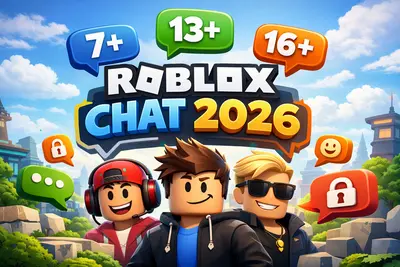
Roblox Chat 2026: The New Age-Based Chat System Explained
Since January 2026, all Roblox users must verify their age to use chat. Learn how the new system works and what it means for your child.
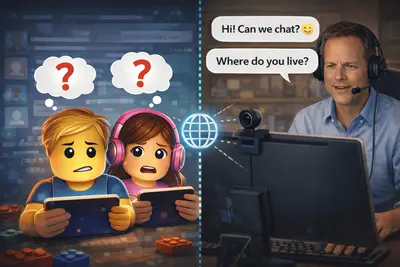
Cybergrooming on Roblox: How to Protect Your Child from Online Dangers
What is cybergrooming on Roblox? Learn how predators operate, recognize warning signs, and protect your child with practical tips and safety settings.
Which Roblox Games Are Child-Friendly? The 10 Best Games for Kids 2026
The best child-friendly Roblox games at a glance: From Adopt Me! to Grow a Garden. Which games are safe for kids? A guide for parents and young players.
Roblox 2025 Recap: The Ultimate Update for Players and Parents
How big Roblox became in 2025, what changed around chat and safety, and why the creator economy matters more than ever for kids, teens, players, and parents.
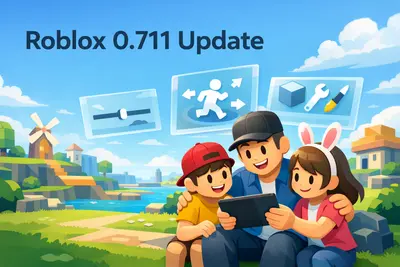
Roblox Version 711: What Changed (Explained Simply)
A clear, non-technical guide to Roblox Release 711: UI upgrades, avatar/creator updates, and what players and families may notice.
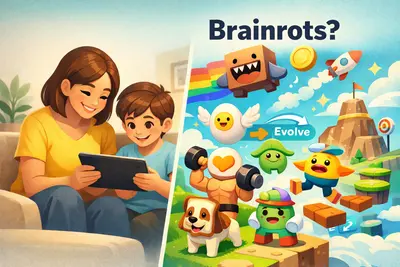
What Is Brainrot? Parent Guide to Roblox, Italian Brainrot, and German Brainrot
Simple parent guide: what brainrot means, key meme characters, language variants, and the most common brainrot themes in Roblox.
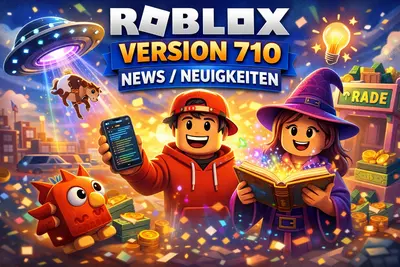
Roblox Version 710: What Changed (Explained Simply)
A simple guide to Roblox Release 710: key creator-facing changes, practical bug fixes, and what players and families may notice.
Roblox Version 709: What Changed (Explained Simply)
A simple guide to Roblox Release 709: what changed for creators, what players might notice, and why most updates are happening behind the scenes.
Roblox Chat 2026: The New Age-Based Chat System Explained
Since January 2026, all Roblox users must verify their age to use chat. Learn how the new system works and what it means for your child.

Roblox Version 708: Key Changes Explained for Families and Players
A clear guide to Roblox Release 708: what changed, what parents should know, and what kids and teens will actually notice while playing.
What Is Roblox Studio? A Quick Overview for Kids, Teens, and Parents
A compact introduction to Roblox Studio: what kids and teens can do with it, and what parents should know before they start.
Cybergrooming on Roblox: How to Protect Your Child from Online Dangers
What is cybergrooming on Roblox? Learn how predators operate, recognize warning signs, and protect your child with practical tips and safety settings.
What is Roblox? The Complete Guide for Parents and Players 2026
Everything about Roblox: What is the platform, how does it work, is it safe for kids? The complete guide with tips for parents and players.