Free Robux Scams: How to Spot the Most Common Tricks
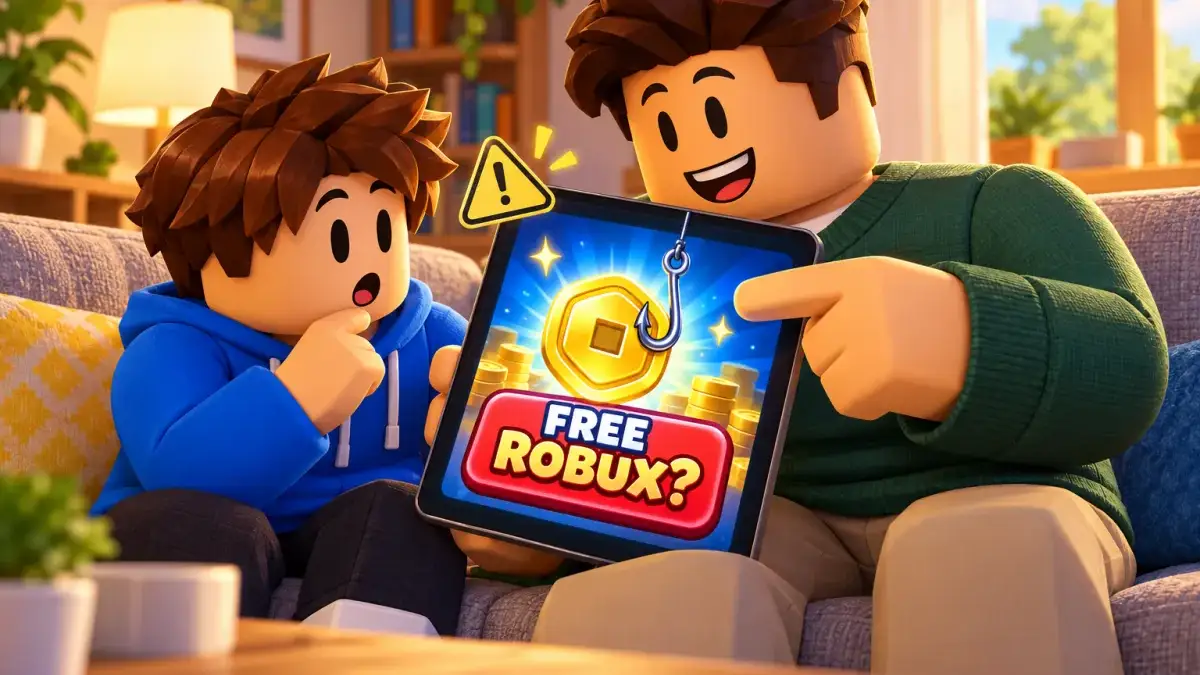
There’s no such thing as free Robux. According to Roblox, every offer of free Robux, a free subscription or valuable items is a scam. The plan behind it is almost always the same: someone wants your password, your personal details or your whole account so they can take your Robux and items. Once you know the typical tricks, they stop working on you.
Key takeaways
- There are only three ways to get Robux: buy them from Roblox, redeem a gift card, or earn them from your own items and games.
- “Robux generators”, free codes and hacks are always scams, even if a well-known YouTuber shows them.
- Only type your password on roblox.com or in the official Roblox app. Roblox staff will never ask for it.
- Only the official Trade and Sell features protect a swap. Roblox can’t undo deals made outside them.
- Real Roblox promotions are only announced on the official blog, in your Roblox notifications or as a banner on the Roblox site.
- If an account was stolen: change the password, turn on 2-Step Verification and contact Roblox Support within 30 days.
Why free Robux are always a scam
Robux cost real money (see What are Robux? for prices), which makes Roblox accounts worth stealing. Roblox’s help center is blunt about it: Robux are bought from Roblox for real-world currency or earned as a creator. There’s no such thing as a Robux generator. Any person, video, website or game claiming otherwise is breaking the Terms of Use.
The official ways to get Robux:
| Method | How it works |
|---|---|
| Buy | In the Roblox app, in a browser, on PlayStation or Xbox. Roblox says you get up to 25% more Robux in a browser and with gift cards. |
| Gift card | Redeem the code in a browser at roblox.com/redeem. |
| Earn | Sell avatar items on the Marketplace or build your own games. The Developer Exchange program lets creators swap earned Robux for real money. |
Source: Roblox Support, “Ways to Get Robux”, accessed October 31, 2026.
How to actually earn Robux with your own games and items is covered in our guide How to make money with Roblox.
The most common scams at a glance
| Scam | How to spot it | What to do |
|---|---|---|
| Robux generator | A site or video promises Robux for your username, password or a “verification” | Close it, enter nothing |
| Fake login page | The link looks like Roblox but is slightly misspelled or full of spaces and asterisks | Only log in via roblox.com or the app |
| Giveaway or survey | ”Fill in this survey and win 10,000 Robux” | Don’t take part, report it |
| Fake admin | Someone claims to work for Roblox and wants your password, codes or a screen share | Share nothing, report them |
| In-game form | A game asks for your login details, often dressed up like Roblox | Leave the game, report it on its page |
| Trade scam | ”You go first”, “Lend me your item”, swaps for real money or accounts | Only use the official Trade feature |
| Script or extension | A download, browser extension or “paste this code” for free items | Install nothing, ask a parent |
The scams in detail
1. “Robux generators” and free Robux sites
This is the classic. A website, video or comment promises: enter your username, hit “Generate”, collect your Robux. At the end, the site suddenly needs your password, a phone number, an app install or a survey. Roblox’s help center says these offers are designed to trick you into giving out your password or personal information, or into clicking a bad link. The goal is your account and everything on it.
How to spot it: There isn’t a single real free Robux trick, so you don’t need to investigate. Whenever “free” and “Robux” appear together, it’s a scam.
2. Fake login pages (phishing)
Phishing means someone builds a page that looks exactly like the Roblox login. The address is different, though: a swapped letter, a strange domain ending, or a link broken up with spaces and asterisks so Roblox’s filter won’t catch it. Roblox’s own example is a message telling you to “just remove the asterisks” to get free Robux. Roblox says the only links allowed on the platform point to roblox.com (plus a few exceptions in the Community Standards). Don’t trust anything else, even if a friend sent it. Their account may already be hijacked.
Rule of thumb: Only enter your password on roblox.com or the login screen of the official Roblox app. Never via a link in a message.
3. Fake giveaways and surveys
“Congratulations, you won!” or “Take this survey and get Premium for free”: Roblox’s help center says the most common way players lose their accounts is by sharing login details directly or filling out online surveys. Roblox also says official promotions are only announced on the Roblox blog, in the Notifications tab of your Roblox messages, or as a banner at the top of the Roblox site. Anything else isn’t a real Roblox giveaway.
4. Fake admins and “Roblox Support”
Someone messages you in chat, on Discord or in your inbox: “I’m from Roblox. Your account will be banned unless you confirm your password right now.” That’s a lie. Roblox says its employees never ask for your password, browser cookies, 2-Step Verification codes, backup codes or personal details. Real staff have the Roblox Admin badge in their badge list. If it’s missing, report them right away.
A newer trick is screen sharing: the fake helper asks you to share your screen over Discord or a video call while you log in or open your account settings. Roblox specifically warns against this, because you can reveal login details, your birthday or your PIN.
5. Forms inside games
Some Roblox games pop up a window that looks like an official Roblox notice: “Please log in again to claim your reward.” Roblox’s rule: if a game asks for your login details for any reason, leave it and use the Report Abuse link on the game’s page.
6. Trade scams
Games with valuable pets or items, such as Adopt Me!, involve a lot of trading, and that attracts scammers. Roblox says only two methods are protected: the official Trade feature for Limited items and the Sell features for clothing, game passes and developer products. Everything else counts as unsafe. If you trade outside them and get cheated, Roblox says it can’t return your items or Robux.
Common traps Roblox warns about:
- “You go first”: one side has to hand over first and “trust” the other.
- Lending: “Let me borrow your pet, I’ll give it right back.”
- Real money, accounts or groups as payment for items.
- Middlemen: handing your item or account to someone who promises to sell or trade it for you.
In games like Adopt Me!, trades run through the game’s own trade window. The same rule applies: never hand anything over in advance, and never agree to a deal where the other person delivers later.
Helpful: The Trade Quality Filter automatically hides unfair offers, for example when someone wants a valuable item for something nearly worthless. Set it under Account Settings → Privacy & content restrictions → Trading & inventory to Low, Medium or High (menu path per Roblox Support, as of October 31, 2026).
7. Scripts, downloads and browser extensions
“Install this program for free items” or “Paste this code into your browser”: programs and extensions like these can record passwords or steal the browser cookies that keep you logged in. With a stolen cookie, an attacker may get into an account without knowing the password. Roblox doesn’t make any browser extensions. Its help center advises downloading programs only with a parent’s permission, installing extensions only from official stores with plenty of reviews, and skipping them when in doubt.
Many BloxControl game guides, like the one for Chop A Forest, warn about exactly this: “scripts” and free Robux sites pop up quickly around popular games.
8. “Just say you paid”
One nasty variant gets kids into trouble themselves: someone suggests telling Support about a purchase that never happened to get Robux or a subscription. Roblox says this also breaks the rules and can get your own account deleted.
For parents: how to protect your child
Roblox scams work mostly through curiosity and time pressure. Settings help, but talking helps more.
- Agree on one sentence: “There’s no such thing as free Robux.” Once your child knows it, most scams fall flat.
- The password stays in the family: No friend, YouTuber or “admin” needs it. Not even best friends.
- Lock the account down: Add an email address (yours or your child’s), turn on 2-Step Verification and a parent PIN. Step by step in How to secure a Roblox account.
- Limit messages: Privacy settings control who can message your child. How chat and age checks fit together is explained in Roblox age-based chat.
- Stay involved in purchases: Roblox itself tells kids to check every purchase with a parent. A monthly spending limit and purchase notifications make that easier, see Robux and spending limits.
- Treat gift card codes like cash: Whoever has the code can redeem it. Never photograph or send codes; type them in yourself at roblox.com/redeem. For what to watch for when buying around big sale days, see Black Friday, Robux and gift cards.
- Ask without blame: If something went wrong, your child should tell you right away. The faster you act, the better your chances. Fear of getting in trouble is often why kids keep a scam to themselves.
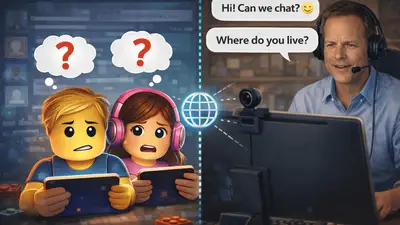
Scammers sometimes try to move kids from Roblox to other apps like Discord or messengers. That’s a warning sign, and not only about Robux. More in our guide to cybergrooming on Roblox.
For players: your 5-second checklist
Before you click, type or trade, ask yourself:
- Is someone promising me something for free? Then it’s a scam.
- Does someone want my password, a code or to see my screen? No, never.
- Does the link lead away from roblox.com? Don’t click.
- Am I supposed to go first? Then don’t.
- Does something feel off? Ask a parent before you continue.
And when you see one: use Report Abuse in the game menu or on the player’s profile. It helps everyone else too.
What to do if it already happened
Don’t panic. Roblox’s help center recommends these steps:
- Remove malware: If anything was downloaded, run a full virus scan, restart the computer and scan again. Remove unknown browser extensions.
- Change the password: Pick a new, strong password that isn’t used anywhere else.
- Turn on 2-Step Verification: under Settings → Security. Roblox recommends the authenticator app option.
- Contact Support if you’re locked out: Ideally from the first email address ever added to the account, or the billing email of the very first payment. That helps Roblox verify the account is yours.
- Be quick: To ask for lost items or Robux back, Roblox says you must get in touch within 30 days. There’s no guarantee. Roblox only restores lost inventory in very limited cases.
- Report the scammer with Report Abuse.
Source: Roblox Support, “My account was hacked – What do I do?”, accessed October 31, 2026.
Important: Roblox says it won’t recover items lost in deals made outside the official Trade feature.
Free Robux FAQ
Are there real free Robux?
No. Roblox says there are no free Robux, subscriptions, tricks or codes. You only get Robux by buying them, redeeming gift cards, or as a creator selling your own items or games.
Are Robux generators dangerous?
Yes. Robux generators never work and usually want your password, your details or an install. The goal is to take over your account and steal your Robux and items.
Does Roblox ever ask for my password?
No. Roblox says its employees never ask for your password, browser cookies, 2-Step Verification codes or backup codes. Only enter your password on roblox.com or in the official app.
How do I trade safely on Roblox?
Only use the official Trade feature for Limited items or the Sell features for clothing and game passes. Never go first, never lend items, and never trade for real money or accounts. The Trade Quality Filter hides unfair offers.
Can I get stolen Robux or items back?
Not guaranteed. Roblox only restores lost items in very limited cases, and only if you contact Support within 30 days. For deals made outside the official Trade feature, Roblox can’t help at all.
How can I tell a real Roblox giveaway?
Roblox says official promotions are only announced on the Roblox blog, in your Roblox notifications or as a banner at the top of the Roblox site. Giveaways on other websites, Discord servers or in comments aren’t from Roblox.
Sources
- Roblox Support: Free Robux or Subscription Generators, Ways to Get Robux, Keep Your Account Safe, How to avoid trading scams, My account was hacked – What do I do?, accessed October 31, 2026
- Roblox: Avoiding Frauds & Scams, accessed October 31, 2026
Black Friday: How to Buy Robux and Roblox Gift Cards for Less
Will Robux be cheaper on Black Friday? What we know so far, how to check any deal in cents per Robux, and how to spot fake shops and bogus codes.
What Are Robux? Prices, Value and Spending Limits
What Robux cost, what one Robux is worth, how gift cards work and how parents set a monthly spending limit in the Roblox parent account.
How to Make Money with Roblox: Complete Guide 2026
Learn how to earn real money with Roblox: DevEx, UGC Creator, Premium Payouts and more. The complete guide for developers and creators.
Which Roblox Games Are Child-Friendly? The 10 Best Games for Kids 2026
The best child-friendly Roblox games at a glance: From Adopt Me! to Grow a Garden. Which games are safe for kids? A guide for parents and young players.
Roblox 2025 Recap: The Ultimate Update for Players and Parents
How big Roblox became in 2025, what changed around chat and safety, and why the creator economy matters more than ever for kids, teens, players, and parents.
Roblox Chat 2026: The New Age-Based Chat System Explained
Since January 2026, all Roblox users must verify their age to use chat. Learn how the new system works and what it means for your child.
Secure Your Roblox Account: The Best Protection Checklist for Players and Parents
Protect your Roblox account the right way: 2FA, PIN, privacy settings, phishing protection, and device security in a clear, step-by-step guide.
Cybergrooming on Roblox: How to Protect Your Child from Online Dangers
What is cybergrooming on Roblox? Learn how predators operate, recognize warning signs, and protect your child with practical tips and safety settings.