What Are Robux? Prices, Value and Spending Limits
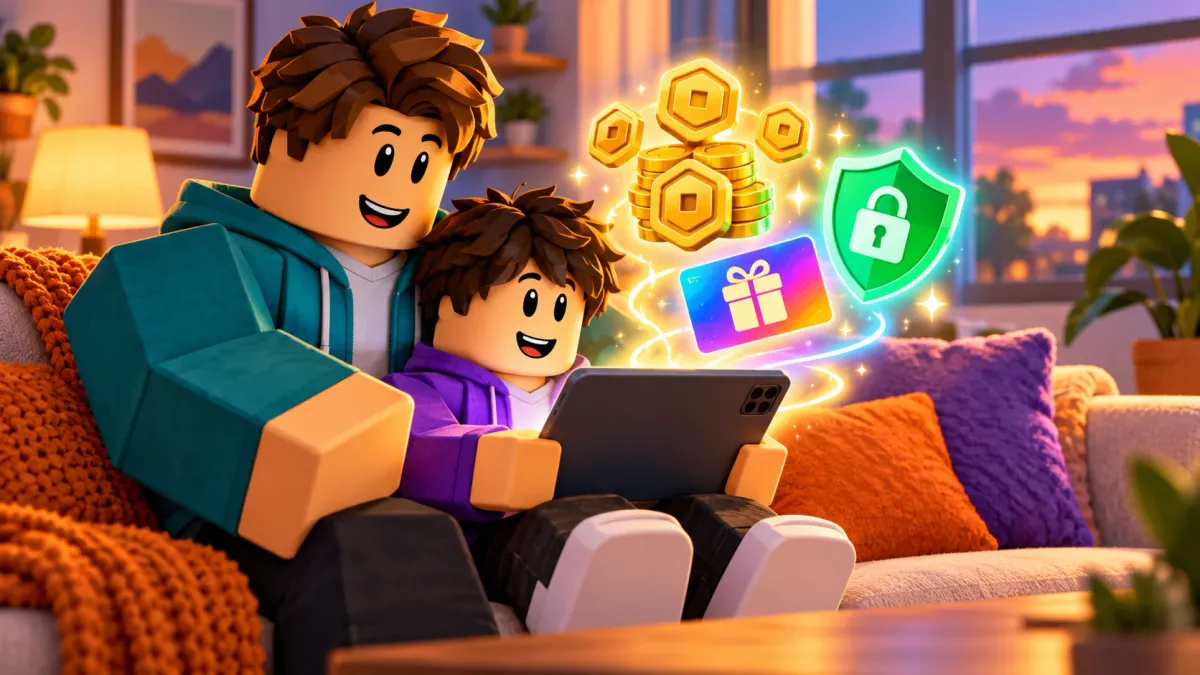
Robux are Roblox’s virtual currency: you buy them with real money or gift cards and spend them on avatar clothing, game passes and in-game items. Prices depend on your country and where you buy. On 22 October 2026 the eurozone web shop sold 500 Robux for €5.99, and the new Roblox Plus subscription starts at $4.99 a month. Parents can set a monthly spending limit in the parent account. It does not cover gift cards, though, and it doesn’t work on every console.
Key takeaways
- In the eurozone web shop, a Robux cost roughly 1 to 1.3 euro cents depending on the bundle (as of 22 Oct 2026).
- According to Roblox, buying in a browser or with a gift card gets you up to 25% more Robux than buying on other platforms.
- Robux don’t expire. They stay in the account until they’re spent.
- Parents set the monthly spending limit in the parent account. In most regions it is available for kids under 13.
- Gift card redemptions are not covered by the spending limit, so whoever gives the card sets the budget.
- Since 30 April 2026, Roblox Plus has replaced Roblox Premium.
What are Robux?
Robux (often shortened to “R$”) are the official digital currency on Roblox. Playing is free, and almost every game costs nothing to join. Robux are for extras:
- Avatar items: clothing, hair, accessories and animations from the Marketplace.
- Game passes: permanent perks in one specific game, such as a bigger backpack or double rewards.
- In-game purchases: boosts, eggs, crates or in-game currency that developers sell for Robux.
- Private servers: your own server where only friends can join.
Developers can also earn Robux and later exchange them for real money. Our guide How to make money with Roblox explains how. For an overview of the platform itself, see What is Roblox?.
How much do Robux cost?
Robux prices are set per country and currency, and they can differ between the web shop, app stores and consoles. The only prices we checked ourselves are from the Roblox web shop as shown in Germany on 22 October 2026. The first Robux column is what you get when buying in a browser. The second is the smaller amount the shop shows crossed out next to it.
| Price (EUR) | Robux in web shop | crossed-out amount | euro cents per Robux (web) |
|---|---|---|---|
| €3.49 | 270 | 240 | approx. 1.3 |
| €5.99 | 500 | 400 | approx. 1.2 |
| €11.99 | 1,000 | 800 | approx. 1.2 |
| €17.99 | 1,500 | 1,200 | approx. 1.2 |
| €23.99 | 2,000 | 1,700 | approx. 1.2 |
| €39.99 | 3,625 | 3,150 | approx. 1.1 |
| €59.99 | 5,250 | 4,500 | approx. 1.1 |
| €119.99 | 11,000 | 10,000 | approx. 1.1 |
| €239.99 | 24,000 | 22,500 | approx. 1.0 |
Source: roblox.com/upgrades/robux, accessed 22 Oct 2026 from Germany. We calculated cents per Robux from price and web amount. If you’re in the US, UK or elsewhere, open the same page to see your local prices.
Why do you get more Robux in a browser?
The shop page advertises “up to 25% more Robux”. The gift card page says that redeeming a gift card automatically gets you up to 25% more Robux than buying on other platforms. That mostly means the Apple and Google app stores, which take a cut of in-app purchases. The bonus depends on the bundle. In the table above, the 500 bundle gives exactly 25% more than the crossed-out amount, while the largest bundle gives about 7% more.
What is one Robux worth?
As a rule of thumb, one Robux bought in a browser costs about one euro cent, which is in the same ballpark as one US cent. That makes in-game prices easy to judge:
| In-game price | rough value |
|---|---|
| 25 Robux | approx. €0.30 |
| 100 Robux | approx. €1.20 |
| 400 Robux | approx. €4.80 |
| 1,000 Robux | approx. €12 |
Calculated at 1.2 euro cents per Robux from the €11.99 bundle (as of 22 Oct 2026). Large bundles are slightly cheaper, and in-app purchases can cost more.
Buying Robux with gift cards
Roblox gift cards are sold online and in stores, as physical cards and as digital codes sent by email (roblox.com/giftcards). Which shops carry them depends on the region.
How redeeming works:
- Open roblox.com/redeem in a browser and log in to your child’s account.
- Enter the code from the card.
- The card is added as Roblox Credit, not directly as Robux.
- Use the credit to buy Robux or a Roblox Plus subscription.
Roblox names two exceptions: digital codes bought on Amazon and codes from Party Packs and Mini Packs can only be redeemed for Robux. Cards are redeemed in a browser, not in the app.
Important for parents: Gift card redemptions do not count toward the monthly spending limit. That’s handy when grandma gives a card for a birthday. It also means a card lets your child spend more than the limit allows.
How to set a spending limit
You can only set a monthly spending limit from a parent account linked to your child’s account. According to Roblox Support, the limit is available for children under 13 in most regions.
- Log in to the parent account.
- Open Settings (gear icon).
- Go to Parental controls.
- Scroll down to Settings you manage.
- Click Spending restrictions → Monthly spending limit.
- Enter an amount and click Update.
Menu path from Roblox Support “Monthly Spending Limits”, accessed 22 Oct 2026.
When the limit is reached, your child sees a message and can’t buy anything else that month. You are not notified automatically when that happens.
Turn on purchase notifications
In the same Spending restrictions menu you’ll find Spending notifications:
| Setting | What happens |
|---|---|
| All transactions | You get a notification for every purchase your child makes. |
| High spend alerts | An email when monthly spending reaches $100, $250 and $500 (or the local equivalent), then every ten transactions after that. |
| None | No notifications from Roblox. Your payment provider may still send them. |
Source: Roblox Support “Spending Notifications”, accessed 22 Oct 2026.
Our tip: pick “All transactions” for younger kids. You’ll see right away what the Robux go toward, and you can talk about it.
Consoles, phones and tablets
- Xbox: The Roblox spending limit doesn’t apply to purchases made through Xbox. Use Microsoft’s family settings there.
- Other consoles: Roblox recommends setting a spending limit directly on the device.
- Phones and tablets: In-app purchases go through Apple or Google. Apple’s “Ask to Buy” or purchase approvals in Google Family Link add another layer of control.
A parent PIN also stops your child from changing the settings back. Our guide to securing a Roblox account covers the rest.
Roblox Plus replaces Premium
Roblox launched the Roblox Plus subscription on 30 April 2026, and Roblox Premium can no longer be purchased since then. According to Roblox, Plus costs $4.99 a month (local prices vary) and mainly offers:
- discounts on avatar and in-game items: 10%, rising to 20% from the third consecutive month,
- free private servers (one per game since 24 Sept 2026),
- sending Robux to other players for free,
- trading Limited items.
The shop also lists Plus 500, Plus 1000 and Plus 2000 tiers that add Robux every month. Plus can also be bought with gift card credit for 3, 6 or 12 months.
Sources: Roblox Newsroom “Introducing Roblox Plus”, Roblox Support “Roblox Plus”, shop page on 22 Oct 2026.
For parents: Subscriptions renew automatically. If your child only buys something now and then, a gift card is often cheaper and easier to keep track of.
For parents: keeping costs under control
Many Roblox games are free but earn money from small purchases. Simulator and tycoon games in particular constantly offer boosts, game passes or eggs. A few simple rules help:
- A fixed budget beats one-off purchases: A monthly limit or one gift card a month keeps costs predictable, much like pocket money.
- Do the math together: Use the table above to show your child that 400 Robux is roughly €5. Prices become real.
- Don’t save payment details on the child’s account: Every purchase then becomes a deliberate decision.
- There’s no such thing as free Robux: Sites or videos promoting “Robux generators” are after passwords or personal data. Robux only come from Roblox itself, gift cards or earnings from your own games.
- Start with free games: Our list of child-friendly Roblox games includes plenty that are fun without spending anything.
For players: spending Robux wisely
- Try first, buy later: Play a game for a few days before buying a game pass. You often don’t need the perks early on.
- Permanent beats temporary: A game pass is yours forever, a boost is gone in minutes.
- Buy in a browser: You get more Robux per dollar or euro than in the app.
- Robux don’t expire: No need to spend them right away just because a deal looks urgent.
- Avoid “free Robux”: Anyone asking for your password wants your account, not to help you.
Robux FAQ
How much do 1,000 Robux cost?
In the eurozone Roblox web shop, 1,000 Robux cost €11.99 on 22 October 2026. Prices in US dollars or other currencies are shown on the Robux page for your country, and buying in an app or on a console can cost more for the same amount.
How much is one Robux worth?
Bought in a browser, one Robux costs roughly 1 to 1.3 euro cents depending on the bundle (as of 22 Oct 2026). So 100 Robux are worth about €1.20.
Do Robux expire?
No. According to Roblox, purchased Robux stay in the account until they’re spent.
Does the spending limit apply to gift cards?
No. According to Roblox Support, the monthly spending limit does not affect gift card redemptions. It may also not apply on some consoles, where you need to set the limit on the device.
How do I set a spending limit for my child?
From a linked parent account, go to Settings → Parental controls → Settings you manage → Spending restrictions → Monthly spending limit. Enter an amount and click Update.
Is Roblox Premium still available?
Roblox Premium can’t be purchased since 30 April 2026. Its successor is Roblox Plus, which mainly offers purchase discounts, private servers and free Robux transfers.
Sources
- Roblox shop, roblox.com/upgrades/robux, prices and FAQ, accessed 22 Oct 2026
- Roblox gift cards, roblox.com/giftcards, accessed 22 Oct 2026
- Roblox Support: Monthly Spending Limits, Monthly Spending Limits and Notifications FAQ, Spending Notifications, accessed 22 Oct 2026
- Roblox Newsroom: Introducing Roblox Plus (April 2026)
Roblox Version 744: Changelog Explained in Plain English
Roblox Version 744 from October 22, 2026 explained simply: avatar generation, smoother Studio sessions, safer character spawning, and 16 more changes.
Best Roblox Simulator and Tycoon Games for Kids
Grow a Garden, Fish It!, Restaurant Tycoon 3 and more: the best Roblox simulator and tycoon games, rated for kids, parents and gaming fans.
Halloween on Roblox: Events, Scary Games and What's Kid-Safe
Which Roblox games have a 2026 Halloween update, how scary are they and which suit kids? With fright levels, maturity labels and tips for parents.
Roblox Version 743: Changelog Explained in Plain English
Roblox Version 743 from October 15, 2026 explained simply: smoother streaming, better animations, faster Luau code, avatar fixes, and 29 more changes.
Roblox Version 742: Changelog Explained in Plain English
Roblox Version 742 from October 8, 2026 explained simply: Robux transfers, better avatars, network controls, Studio fixes, and 27 more changes.
Roblox Version 741: Changelog Explained in Plain English
Roblox Version 741 from September 30, 2026 explained simply: chat history, steadier voice chat, easier mesh tools, and 14 more changes.
Roblox Version 740: Changelog Explained in Plain English
Roblox Version 740 from September 23, 2026 explained simply: localized controls, text-to-speech options, better lighting, and 11 more changes.
Roblox Version 739: Changelog Explained in Plain English
Roblox Version 739 from September 17, 2026 explained simply: smoother Studio dragging, faster Luau code, safer publishing, and 18 more changes.
Roblox Version 738: Changelog Explained in Plain English
Roblox Version 738 from September 9, 2026 explained simply: GeometryService fragmentation results now arrive in a predictable, reliable order.
Roblox Version 737: Changelog Explained in Plain English
Roblox Version 737 from September 3, 2026 explained simply: persistent Studio flag settings and a fix for custom layered clothing on avatar rigs.
Roblox Version 736: Changelog Explained in Plain English
Roblox Version 736 from August 27, 2026 explained simply: live Collections support and steadier high-FPS movement in Server Authority games.
Roblox Version 735: Changelog Explained in Plain English
Roblox Release 735 from August 20, 2026 explained simply: UI fixes, better controls, animation tools, image editing, Luau, and Studio updates.
Roblox Version 734: Changelog Explained in Plain English
Roblox Release 734 from August 11, 2026 explained simply: better controls, sound fixes, UI tools, animation updates, Collections, Luau, and Studio changes.
Roblox Version 733: Changelog Explained in Plain English
Roblox Release 733 from August 6, 2026 explained simply: smoother avatars, UI shadows, sound controls, data tools, input fixes, physics, and performance.
Roblox Version 732: Changelog Explained in Plain English
Roblox Release 732 from July 29, 2026 explained simply: texture rotation, controls, iPad input, UI, physics, audio, animation, sky, and disconnect fixes.
Roblox Version 731: Changelog Explained in Plain English
Roblox Release 731 from July 24, 2026 explained simply: Studio list view, beta feature search, audio tools, input prompts, physics crashes, particles, SLIM, terrain brush fixes, and replication disconnects.
Roblox Version 730: Changelog Explained in Plain English
Roblox Release 730 from July 14, 2026 explained simply: audio APIs, text-to-speech assets, ordered data stores, input prompts, Luau fixes, terrain brushes, voice checks, and Studio mouse fixes.
Roblox Version 729: Changelog Explained in Plain English
Roblox Release 729 from July 7, 2026 explained simply: Luau fixes, voice reliability, TV controls, particles, Studio freezes, mobile text boxes, logging, terrain, and animation fixes.
Roblox Version 728: Changelog Explained in Plain English
Roblox Release 728 from July 1, 2026 explained simply: audio controls, text-to-speech assets, group roles, camera sync, logging, Studio animation tools, and mobile fixes.
Roblox Version 727: Changelog Explained in Plain English
Roblox Release 727 from June 24, 2026 explained simply: avatar rendering, iPad mouse support, audio, Studio, Luau, logging, and servers.
Roblox Version 726: Changelog Explained in Plain English
Roblox Release 726 from June 17, 2026 explained simply: upgrades for gradients, iPad mice, avatars, audio, animation, servers, and Studio.
Roblox Version 725: Changelog Explained in Plain English
A simple guide to Roblox Release 725 from June 10, 2026: new creator tools plus fixes for terrain, UI, audio, animation, particles, and rendering.
Roblox Version 724: Changelog Explained in Plain English
A simple guide to Roblox Release 724 from June 5, 2026: what changed, what regular players may notice, and why this update seems focused on creator APIs, Studio workflows, audio fixes, animation reliability, and cleaner UI behavior.
Roblox Version 723: Changelog Explained in Plain English
A simple guide to Roblox Release 723 from May 27, 2026: what changed, what regular players may notice, and why this update seems focused on graphics fixes, creator APIs, sandboxing, and animation-editor reliability.
Roblox Version 722: Changelog Explained in Plain English
A simple guide to Roblox Release 722 from May 21, 2026: what changed, what regular players may notice, and why this update seems focused on UI behavior, animation tools, and creator debugging quality-of-life.
Roblox Version 721: Changelog Explained in Plain English
A simple guide to Roblox Release 721 from May 14, 2026: what changed, what regular players may notice, and why this update seems centered on UI tools, Studio quality-of-life upgrades, and better device support.
Roblox Version 720: Changelog Explained in Plain English
A simple guide to Roblox Release 720 from May 7, 2026: what changed, what regular players may notice, and why this update seems focused on Studio polish, UI groundwork, and scripting reliability.
Roblox Version 719: Changelog Explained in Plain English
A simple guide to Roblox Release 719 from April 30, 2026: what changed, what regular players may notice, and why this update seems focused on scripting and touch controls.
Roblox Version 718: Changelog Explained in Plain English
A simple guide to Roblox Release 718 from April 23, 2026: what changed, what regular players may notice, and why this update seems focused on creator tools and bug fixes.
Roblox Version 717: Changelog Explained in Plain English
A simple guide to Roblox Release 717: what changed, what regular players may notice, and why this update is mostly a behind-the-scenes platform update.
Roblox Version 716: Changelog Explained in Plain English
A simple guide to Roblox Release 716: what changed, what regular players may notice, and why this update matters even if most changes happen behind the scenes.
Roblox Version 715: What Changed (Explained Simply)
A simple guide to Roblox Release 715: new creator tools, better UI options, audio fixes, performance upgrades, and what players may notice.
Roblox Version 714: What Changed (Explained Simply)
A simple guide to Roblox Release 714: new creator tools, better live-ops workflows, safety updates, and what players may notice.
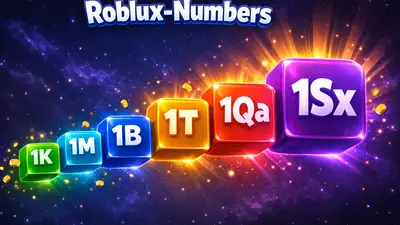
Roblox Number Abbreviations Explained: What Do K, M, B, T, Qa, Qi & More Mean?
What do the number suffixes K, M, B, T, Qa, Qi, Sx mean in Roblox games? Complete guide to all abbreviations with infographic, examples, and game-by-game comparison.
Roblox Version 713: What Changed (Explained Simply)
A simple guide to Roblox Release 713: new UI shadows, clearer Luau code with const, better crash diagnostics, and what players may notice.
Roblox Version 712: What Changed (Explained Simply)
A simple guide to Roblox Release 712: ad-system API updates, what creators should check, and what players may notice.
Which Roblox Games Are Child-Friendly? The 10 Best Games for Kids 2026
The best child-friendly Roblox games at a glance: From Adopt Me! to Grow a Garden. Which games are safe for kids? A guide for parents and young players.
Roblox 2025 Recap: The Ultimate Update for Players and Parents
How big Roblox became in 2025, what changed around chat and safety, and why the creator economy matters more than ever for kids, teens, players, and parents.
Roblox Version 711: What Changed (Explained Simply)
A clear, non-technical guide to Roblox Release 711: UI upgrades, avatar/creator updates, and what players and families may notice.
What Is Brainrot? Parent Guide to Roblox, Italian Brainrot, and German Brainrot
Simple parent guide: what brainrot means, key meme characters, language variants, and the most common brainrot themes in Roblox.
Roblox Version 710: What Changed (Explained Simply)
A simple guide to Roblox Release 710: key creator-facing changes, practical bug fixes, and what players and families may notice.
Roblox Version 709: What Changed (Explained Simply)
A simple guide to Roblox Release 709: what changed for creators, what players might notice, and why most updates are happening behind the scenes.
Roblox Chat 2026: The New Age-Based Chat System Explained
Since January 2026, all Roblox users must verify their age to use chat. Learn how the new system works and what it means for your child.
Roblox Version 708: Key Changes Explained for Families and Players
A clear guide to Roblox Release 708: what changed, what parents should know, and what kids and teens will actually notice while playing.
What Is Roblox Studio? A Quick Overview for Kids, Teens, and Parents
A compact introduction to Roblox Studio: what kids and teens can do with it, and what parents should know before they start.
Secure Your Roblox Account: The Best Protection Checklist for Players and Parents
Protect your Roblox account the right way: 2FA, PIN, privacy settings, phishing protection, and device security in a clear, step-by-step guide.
Cybergrooming on Roblox: How to Protect Your Child from Online Dangers
What is cybergrooming on Roblox? Learn how predators operate, recognize warning signs, and protect your child with practical tips and safety settings.
What is Roblox? The Complete Guide for Parents and Players 2026
Everything about Roblox: What is the platform, how does it work, is it safe for kids? The complete guide with tips for parents and players.