Roblox Parental Controls: Parent Account, Spending, Screen Time
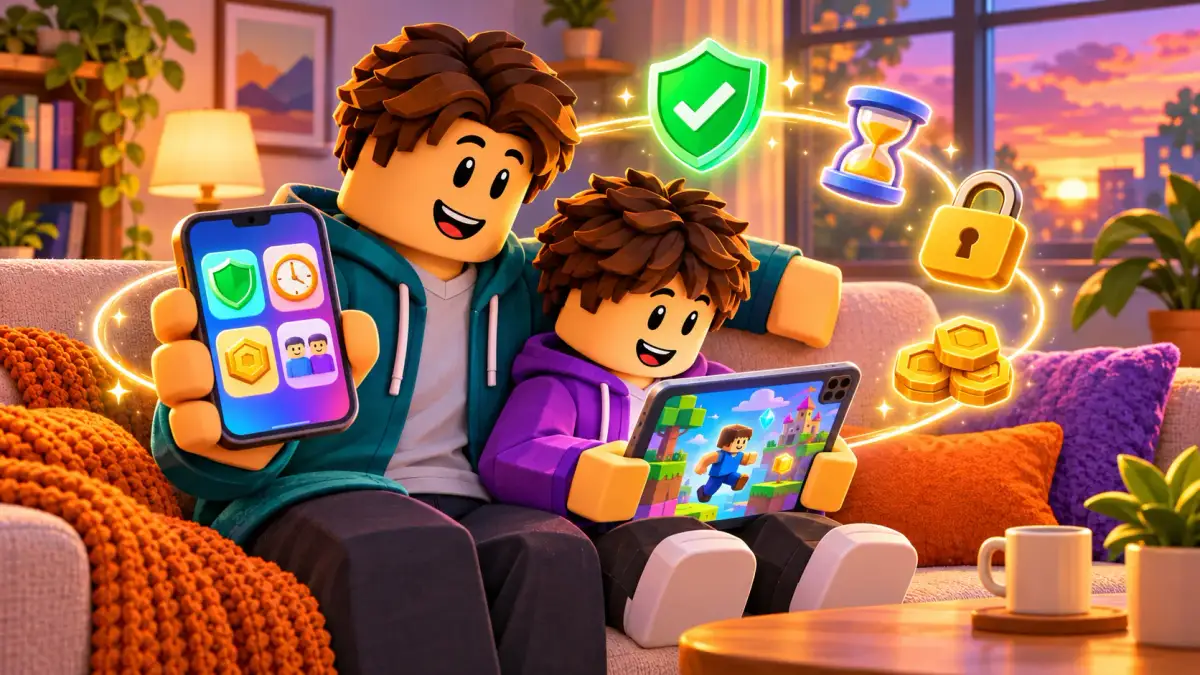
Roblox parental controls are a section in Settings that lets parents manage their child’s account remotely: content, chat, friends, spending and daily play time. To use them, you need your own Roblox account as a parent, linked to your child’s account. How much you can change depends on your child’s age: almost everything for kids under 13, mostly insights for teens. Every menu path in this guide comes from the official Roblox Help Center, as of November 12, 2026.
Key takeaways
- Create a parent account, verify you’re an adult with an ID, a credit card or a facial age estimate, then link it to your child’s account.
- Everything else lives under Settings → Parental Controls → select your child → Settings you manage.
- Under 13: you set content maturity, chat, friends, a spending limit and a daily screen time limit.
- From 13, your teen manages screen time, blocking and privacy themselves. You can still see play time, friends and spending.
- Since 2026, Roblox uses age-based account types: Roblox Kids (ages 5–8) and Roblox Select (ages 9–15).
- The monthly spending limit doesn’t cover gift cards and doesn’t apply on every console.
What can parents control on Roblox? Overview
| Area | What you set | Ages |
|---|---|---|
| Content | Maturity level (Minimal to Moderate), block or allow specific games | all under 13, allow/block games for 13–15 |
| Communication | Experience chat, direct chat, chat with friends, who can message | under 16 |
| Friends | View the friends list, approve trusted friends, block people | view until 17, block under 13 |
| Robux and purchases | Monthly spending limit, spending notifications, Robux transfers | limit under 13, notifications until 17 |
| Screen time | Daily time limit, last 7 days of play time, top games | limit under 13, insights until 17 |
| Visibility | Online status, current game, private servers, inventory | under 13 |
Sources: Roblox Help Center “Parental Controls Overview” and “What happens when my child gets older”, accessed November 12, 2026. Age thresholds differ in some countries.
Step 1: Set up and link a parent account
Parental controls only work once your own Roblox account is linked to your child’s. Your account is free. During setup you confirm you’re at least 18, using an ID, a credit card or a facial age estimate.
Option A: from your child’s account (works at any age, including when a teen invites you)
- Log in with your child’s account.
- Open Settings: on desktop via the gear icon at the top right, in the app via More → Settings.
- Choose Parental Controls and tap Add parent.
- Enter your email address. Roblox sends you an email.
- In the email, choose Create account or Use existing account, verify your age, and select Agree to link.
Important: the email address on your Roblox account has to match the address the invitation was sent to.
Option B: Parent mode on your child’s device
Roblox is gradually rolling out Parent mode. When your child needs permission and picks Ask in Person, they hand you the device. You select Continue as a parent, verify your age, check your child’s birthday and create a 6-digit PIN for future approvals. You don’t need your own Roblox account for this. Real-time features such as spending notifications aren’t available in Parent mode, though, so Option A gives you the full set of controls.
Sources: Roblox Help Center “Parents: How to Link Your Account” and “Parental Controls FAQ”, accessed November 12, 2026.
Good to know:
- Several parents can link to the same child account, each with their own account.
- There’s no separate parent app. You use roblox.com or the regular Roblox app.
- Wrong birthday? A linked parent can correct the child’s birthday once. That matters, because Roblox uses it for the account type and content maturity.
- At 18 the link is removed automatically.
Roblox Kids and Roblox Select: the new account types
Since June 2026, Roblox sorts child accounts worldwide into two age-based account types:
| Account type | Ages | Games | Chat |
|---|---|---|---|
| Roblox Kids | 5–8 | reviewed catalog, Minimal and Mild only | off, only with parental consent |
| Roblox Select | 9–15 | reviewed catalog up to Moderate | only after an age check |
| Standard account | 16+ | all levels except Restricted (18+) | after an age check |
If your child hasn’t done an age check, Roblox uses the birthday from sign-up. As a parent you can allow individual games outside the reviewed catalog, but never Restricted ones.
Sources: Roblox Newsroom “Age-based Roblox Kids and Select accounts now globally available” (June 2026), Roblox Help Center “What are Roblox Kids and Roblox Select?” and “Content Maturity Ratings”, accessed November 12, 2026.
Step 2: Restrict content and games
Under Content restrictions you’ll find three tools:
- Content maturity: a slider with Minimal, Mild, Moderate and Restricted. Minimal means at most occasional mild violence or mild fear. Moderate allows, for example, moderate violence, crude humor and moderate fear. Restricted is for age-checked adults only.
- Blocked games: tap +, search for a game and choose Block. The block applies the next time your child joins. The game still shows up in search.
- Allowed games: unlock a single game that sits above the maturity level. Revoke it via the three-dot menu.
There’s also a toggle for sensitive issues (games about social, political or religious topics, otherwise 16+).
Every game page shows its maturity label. What each level actually means is explained in our guide to Roblox content maturity ratings. For games that work well for younger players, see our list of child-friendly Roblox games. Our game guides list each game’s rating with a date.
Step 3: Chat and communication
Chat on Roblox requires an age check (a facial age estimate or, from 13, an ID). This has applied worldwide since January 7, 2026. After that, your child chats by default only with their own age group and the groups directly above and below. Under-16s are kept apart from adults. Our guide to Roblox age-based chat explains how it works.
Under Communication you can set:
| Setting | Options |
|---|---|
| Experience chat | On / Off (under 9 only with your consent) |
| Direct chat | On / Off |
| Chat and party with friends | On / Off |
| Who can message as a friend | All friends / Trusted friends / No one |
| Quick Words in games | On / Off |
One inconsistency in the Roblox Help Center: the Parental Controls Overview says direct chat needs parental consent under 13, while “How to chat on Roblox” says under 16 (both accessed November 12, 2026). If in doubt, check the setting directly in the parent dashboard.
Step 4: Friends and trusted friends
Roblox renamed friends to “connections” in 2025 and switched back to friends and trusted friends on April 2, 2026.
- View the friends list: Parental Controls → child → Friends → Manage. The filter shows all friends or trusted friends only.
- Block or report: via the three-dot menu next to a friend. From 13, your child blocks people themselves.
- Trusted friends are a level above regular friends. Both users need an age check. Depending on age, trusted friends can use features like party voice or chat with fewer filters. For kids under 13, you have to approve every new trusted friend. The email request expires after 24 hours. If both children are under 13, both parents have to approve.
- You and your child become trusted friends automatically if you’ve both done an age check, your accounts are linked and you’re already friends.
Sources: Roblox Newsroom “Expanding Trusted Friends” (April 2026), Roblox Help Center “Unlocking trusted friends”, accessed November 12, 2026.
Why the friends list matters: strangers trying to move kids to other apps usually show up as new friends first. Our guide on cybergrooming on Roblox covers the warning signs.
Step 5: Spending limit and notifications
Under Spending restrictions there are two settings:
- Monthly spending limit: an amount between 0 and 10,000 in your currency. The default is “No limit”. It resets every calendar month and unused amounts don’t roll over. When it’s reached, your child sees a message. You are not notified.
- Spending notifications: All transactions, High spend alerts (email at $100, $250 and $500 per month, then every ten purchases) or None. High spend alerts are on by default for linked parents.
In most regions the limit only applies to kids under 13. From 13, only notifications remain. Gift cards don’t count toward the limit, and on Xbox you set limits through Microsoft’s family settings. Under Robux you can also add Robux and decide whether Robux transfers to trusted friends always need your approval (default caps: 500 Robux per day and 1,000 per month).
Sources: Roblox Help Center “Monthly Spending Limits”, “Spending Notifications”, “Monthly Spending Limits and Notifications FAQ”, accessed November 12, 2026.
What Robux cost and what one Robux is worth in dollars is covered in What are Robux?.
Step 6: Limit daily play time
Under Screen time → Manage, the Daily limit field lets you pick “No limit” or a time in 15-minute steps. Once the time is used up, your child sees a message and can’t use Roblox for the rest of the day.
Roblox also shows you:
- a chart of daily play time over the last 7 days, with the average,
- the 20 most-played games of the past week with their rating and play time. You can block a game straight from that list.
From 13, your child sets the daily limit themselves under Settings → Privacy & content restrictions → Screen time. You still see the insights. If you’d like a weekly summary as well, turn on Activity updates.
Source: Roblox Help Center “Managing Screen Time” and “Parental Controls Overview”, accessed November 12, 2026.
How much play time is right is a family decision. Roblox doesn’t give a recommended amount. The daily limit is a tool to keep an agreement, not a replacement for one.
What changes at 13 and at 16
| Age | What you can still set | What you can only see |
|---|---|---|
| under 13 | everything in this guide | – |
| 13–15 | direct chat, allow/block games, add Robux | play time, top games, friends, Robux balance, age-check status |
| 16–17 | notifications, spending notifications, activity updates | friends, play time, spending |
Sources: Roblox Help Center “What happens when my child gets older” and “Parental Insights for Teens”, accessed November 12, 2026.
For parents: how to approach the setup
- Together, not in secret: set up parental controls with your child and explain why. Your child sees the link in their settings anyway.
- Start small: maturity level, spending limit and spending notifications take five minutes. You can open up chat and friends step by step afterwards.
- Secure the account: parental controls don’t help much if someone else gets into the account. Email, 2-step verification and a strong password are covered in How to secure a Roblox account.
- Watch your inbox: your child’s requests (new trusted friends, game approvals) arrive by email, and some expire after 24 hours.
- Check in regularly: once a month, look at top games and the friends list and talk about what’s being played.
- Beware of fake help: nobody from Roblox will ask for your password, not even for parental controls. More in Free Robux scams: how to spot them.
In July 2026 Roblox also launched Family Zone, a Roblox game where parents learn the settings in a playful way (Roblox Newsroom).
For players: what parental controls mean for you
- Your parents can’t read your chats. They see how long you play, which games you play most, who’s on your friends list and what you buy.
- You can ask: if a game is blocked or you want something unlocked, send a request. Your parents answer with “Allow” or “Don’t Allow”.
- More freedom from 13: you manage screen time, blocking and privacy yourself.
- Time’s up? Then you’re done for today. Save your progress in time.
Roblox parental controls FAQ
How do I link my parent account to my child’s account?
In your child’s account, go to Settings → Parental Controls → Add parent and enter your email address. In the email from Roblox, create an account or log in, verify your age and tap Agree.
Do I need an ID as a parent?
Not necessarily. Roblox verifies parents’ age with an ID, a credit card or a facial age estimate. Any one of the three works.
Can I limit screen time on Roblox?
Yes, for kids under 13. Under Parental Controls → child → Screen time → Manage, set a daily limit in 15-minute steps. From 13, your child sets the limit themselves, and you can still see their play time.
Can I see who my child is friends with on Roblox?
Yes. Under Parental Controls → child → Friends → Manage you see all friends and trusted friends. Until your child turns 13, you can also block people there.
Does the spending limit apply to gift cards?
No. According to Roblox, gift cards don’t count toward the monthly spending limit. On Xbox, set limits through Microsoft’s family settings.
Is there a separate Roblox parent app?
No. Parents use roblox.com or the regular Roblox app. Roblox is also rolling out Parent mode, which lets you approve requests directly on your child’s device.
Sources
- Roblox Help Center: Parental Controls Overview, Parents: How to Link Your Account, Parental Controls FAQ, What happens when my child gets older, Parental Insights for Teens, Managing Screen Time, Unlocking trusted friends, Content Maturity Ratings, What are Roblox Kids and Roblox Select?, Understanding Age Checks on Roblox, Monthly Spending Limits, Spending Notifications, all accessed November 12, 2026
- Roblox Newsroom: Roblox Age Checks Required to Chat (January 2026), Expanding Trusted Friends (April 2026), Roblox Kids and Select accounts now globally available (June 2026), Roblox Family Zone (July 2026)